HMAC (Hash-based Message Authentication Code) provides an additional layer of security by ensuring that API requests are authentic and have not been modified during transit. Merchants are required to include a valid digital signature with every authenticated request to verify the integrity of the data
How It Works
-
Build a payload by concatenating the timestamp, HTTP method, API path, and the raw request body.
-
Generate an HMAC SHA-256 hash using your unique API Secret.
-
Base64-encode the resulting hash to create the signature.
-
Send the signature and timestamp in the request headers along with your standard Bearer token .
-
Validation: The UPayments API validates the signature against the payload before processing the transaction.
Prerequisites
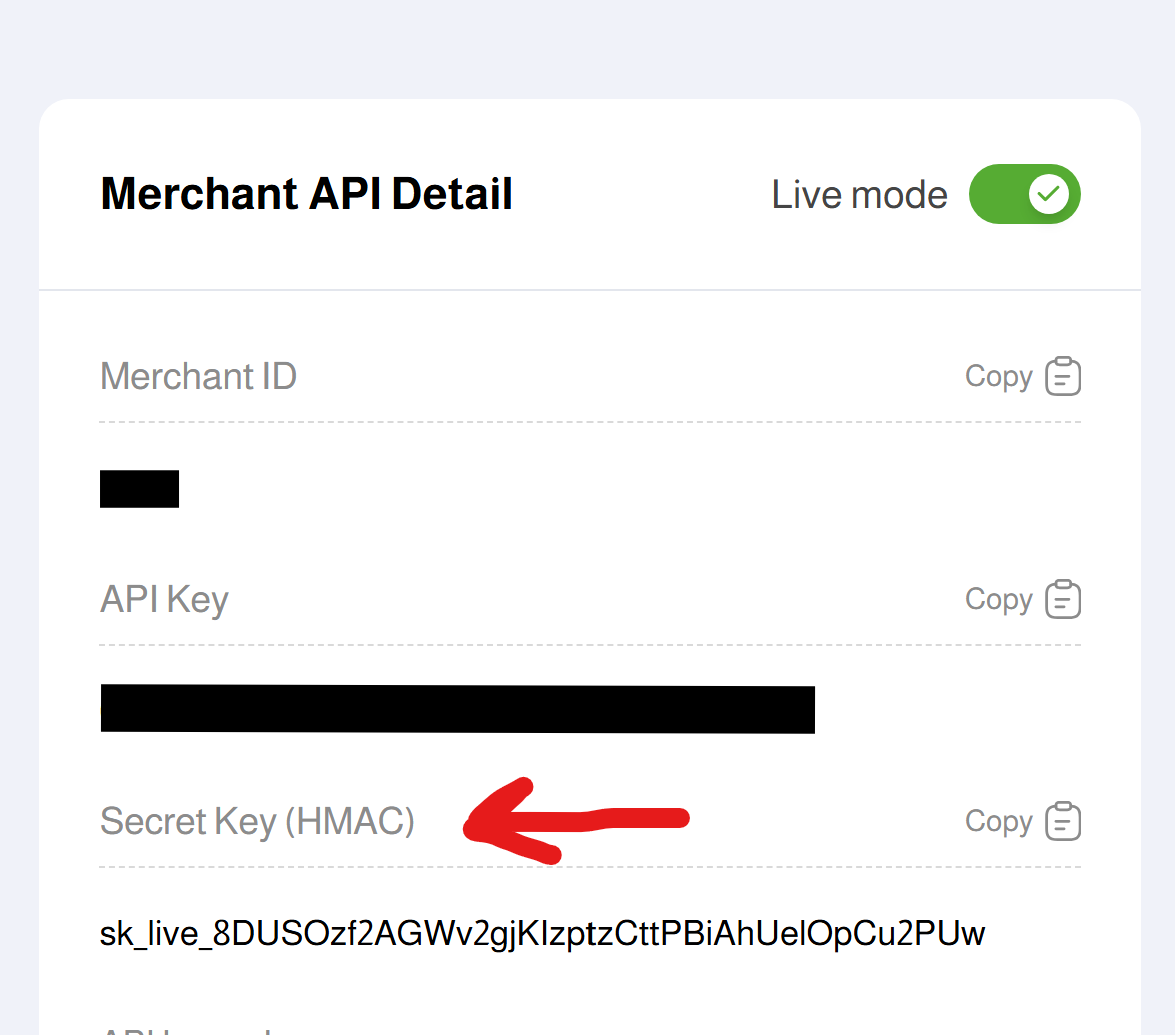
To implement HMAC, you must have the following credentials from your UPayments Dashboard:
-
Merchant ID
-
API Key
-
API Secret Key
Security WarningKeep your API Secret strictly confidential. Never expose it in client-side applications (mobile or web frontend)
Required Headers
All requests must include the standard authorization header plus the specific HMAC security headers
| Header | Value |
|---|---|
| Authorization | Bearer API_Key |
| X-Timestamp | Unix timestamp in UTC seconds |
| X-Signature | The generated HMAC SHA-256 signature (Base64 encoded) |
Payload Format
The payload is a concatenated string formed as follows: timestamp + HTTP_METHOD + API_PATH + REQUEST_BODY
Example Payload
1718365200POSTcharge{"amount":100,"currency":"USD","order_id":"ORD123"}Signature Algorithm
The signature is generated using the following logic: signature = Base64Encode(HMAC_SHA256(payload, API_SECRET))
Code Implementation Examples
const crypto = require('crypto');
const payload = timestamp + method + path + body;

const signature = crypto
  .createHmac('sha256', API_SECRET)
  .update(payload)
  .digest('base64');
$payload = $timestamp . $method . $path . $body;

$signature = base64_encode(
    hash_hmac('sha256', $payload, $apiSecret, true)
);
import hmac, hashlib, base64
signature = base64.b64encode(
hmac.new(
api_secret.encode(),
payload.encode(),
hashlib.sha256
).digest()
).decode()
Test API Keys (Bearer Token)
- Non-whitelabeled API: NWty8gdjt79cf756hdtyu6u8jht5ns6gfhgy8hdjL
(or)
- Whitelabeled API: Wty6udt79cf75fba327ff718jht5ns6gfgst7hsy6T
Your API Key is either Non whitelabel or Whitelabel. Both features cannot be used simultaneously with the same API Key
HMAC Secret KeyFor generating the HMAC Signature, use the HMAC Secret Key
Secret Key: sk_test_01a0a4b450b4c4738b586d7f33134d44
Important Notes for Developers
-
Endpoint Path: Use the path immediately following /api/v1/ when generating the signature (e.g., use
chargefor the Charge endpoint) . -
No Domain: Do not include the domain name (e.g.,
sandboxapi.upayments.com) in the payload string. -
Body Matching: The request body used to generate the signature must be an exact match (including spaces and formatting) to the JSON body sent in the HTTP request.
-
GET Requests: For GET requests (such as
Get Payment Status), use an empty string for the request body portion of the payload
Common Errors
-
Missing Signature Headers: The request will be rejected if X-Signature or X-Timestamp are absent.
-
Request Expired: To prevent replay attacks, signatures are only valid for a 1-minute window from the provided timestamp.
-
Invalid Signature: Usually caused by a mismatch in the payload string construction or an incorrect API Secret.
Security Best Practices
-
Secure Storage: Store API Secrets in environment variables or secure vault systems .
-
Dynamic Signatures: Generate a fresh signature for every individual request.
-
HTTPS Only: All API communications must be conducted over TLS/SSL (HTTPS).